Tip: Upload images from Gimp to Flickr or Picasaweb

Gimp upload to flickr and picasawebAs mentioned previously, Gimp is a very good open source program for your image editing needs. What is even better about Gimp is its plug-in structure which allows for a greater usage of the program.

One of these plug-ins, called GimpPublishr, will allow you to upload your images to Flickr or Picasaweb automatically. It is quite simple to use, to install it just drop the extracted files inside your Gimp plug-in folder.
Virtualization done easily with VirtualBox

VirtualBox is a great program I’ve been exploring these past few weeks. The folks at Download Squad wrote a good article about VirtualBox. With it you can run your own virtual machines inside your operating system of choice. Do you want to run Windows inside Linux (or vice-versa)? Or, do you want to learn how to setup a small network inside your own computer? The possibilities are great with Virtualbox.

Audacity – audio editor

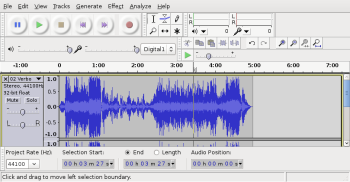
Audacity is a great application for you to edit audio files, add effects, or even convert them. Its most basic functions are quite easy to do such as record, cut, add another audio stream, to name a few.

 Audacity

You can easily use Audacity to create podcasts, free cell phone rings, and convert audio files into a different format. This is just the tip of the iceberg when we’re talking about Audacity’s features.

Your internet TV with Miro

Miro comes to organize all the video content on the web in a very nice way for us. First, right out of the box there is a very nice way for you to find and watch videos from YouTube, blip.tv, DailyMotion, and others. Just use the search bar at the bottom of the program to find what you want. Easy to search and then once you find something good, watch it and download it if you want.

Windows PC upkeep – open source JKDefrag

Windows users are quite familiar with the need to defrag the hard drive every once in a while. It is specially important if you’re moving large files (like movies), installing, and removing programs. Linux though doesn’t have to worry much about this.

In the open source world, you can also find a very nice tool that will help keep your windows running smoother. JKDefrag is a pretty small, nice, and effective, defrag utility program. You can use it without any installation, just by running the JkDefrag.exe, have it as your screen saver running every time your computer is idle, or you can install it like any other software.

Play pretty much any video file with VLC

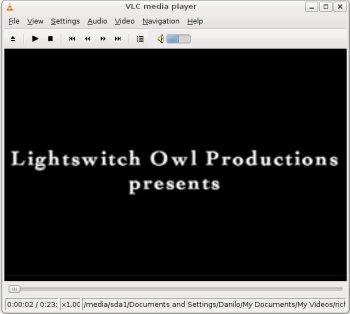
VLC, in my opinion, is one of those programs that needs to be installed on every machine. I mean, on every machine you’d like to watch movies on. Which is easy because it works on Windows, Mac OSX, and Linux.

VLC

This program plays pretty much any video format you want, and audio files but it isn’t the perfect choice for your music management app. You can easily play a DVD, VCD, SVCD, AVI, OGG, MKV, MOV, 3GP, FLAC, FLV, and much more. It doesn’t play Real’s format since it is proprietary and Apple must be keeping it a tight secret.

Start programs super fast with Launchy

Forget the “Start” menu and program shortcut icons, they can be sluggish and too crowded quite fast. A much faster way to go where you want on your computer is by using your keyboard and the open source Launchy.

****Launchy is a keystroke launcher so when you need to start any program just call it by pressing “ALT + Space bar”, and then just type the name of the program you wish. Most of the time it’ll show the program you want by typing just the first couple letters of it.

PDF Viewer – Sumatra PDF

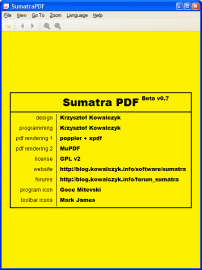
Sumatra PDFSpeaking of PDF files, have you ever gone impatient with the time it takes for Adobe Reader to open a PDF file? You wait, and wait, and then it loads the file…

Sumatra PDF at the moment is my PDF viewer of choice (for Windows). Files load in just a matter of seconds and the program itself is tiny, just one file actually, nothing to install and take up hundreds of MB from your HD.

Open source Print to PDF

Being able to print documents, web pages, anything to PDF format is quite handy to have in any computer. A PDF file is highly portable because it is generally smaller then the original file and works well within any operating system.

PDFCreator is an incredibly good open source tool to install on your Windows machine. It’ll create a new printer that you can use within any program, the output always being PDF files. So you’ll be able to convert any document to PDF easily. You can set your settings to compress images and text the way you want it, encrypt, and protect your PDF documents.

Convert audio and video files with free MediaCoder

MediaCoder logoMediaCoder is the all-purpose media file converter. In my opinion it is surely one of the best open source programs out there. You can convert easily almost any type of audio or video file. There isn’t a need to download special encoders separately, they come already included in MediaCoder, so you’ll only need 1 download.

You can convert files to your video iPod, cell phone, PDA, PSP, or choose other formats to store on your computer.