Posts for: #Twitter

Gwibber microblogging app now 2.0 [Linux]

Gwibber, an open source microblogging app for Gnome has now reached version 2.0!

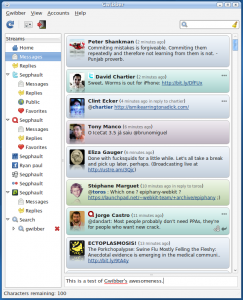
Although at 2.0, the developers are not considering this a stable release yet and not making it available on the stable distribution channels. What I could notice first from the upgrade was the UI from:
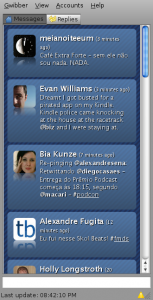
to

Gwibber 2.0

Which means:

  • it is now easier to jump between different accounts (Gwibber supports Identi.ca, Twitter, Facebook, Digg, StatusNet, Flickr and more).
  • You can easily post to only one account.
  • Easy “re-dent” / “re-tweet”.

I’m sure there are more behind the scenes improvements but so far I haven’t seen any list. For now, the upgrade was worthwhile.

[Read more]

Using Twitter with Pidgin

The eco-system around Pidgin is fantastic, below is yet another cool plug-in tip for it.

Pidgin-Twitter plug-in works with Linux and Windows for you to get back into posting to and receiving notes from Twitter (also works well with Identi.ca too!). Steps to get it working:

  1. download and install the plug-in the plug-in;
  2. go to Pidgin menu under Tools > Plug-ins you’ll find Pidgin-Twitter to activate and configure;
  3. place your username / password and define a couple of other options (such as show users’ avatars)
  4. Add a buddy to your GTalk account called [email protected] and choose to display it even when it is offline.

You’re good to go! Open the chat window for the buddy you just created and instantly it’ll display your messages.

[Read more]