After a recent exchange of ideas about Abiword on identi.ca, I decided to take a closer look at it again. Although OpenOffice is currently my office suite of choice, it is a bit bloated and slow. So, what does Abiword have to offer?

- It is blazing fast;
- works in Windows and Linux;
- has all the main text editing and formatting functions one needs;
- saves and imports documents in multiple formats (Abiword’s own formats, .doc, .odf, .html, .rtf, .pdf, .docx, LaTeX, Kword and xml);
- has revision control;
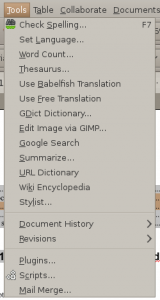
- has spell checker and thesaurus built-in;
- and, has a plug-in architecture to improve its list of features even more!
 This is one of the most popular, and most essential, open source projects currently available. OpenOffice.org, or just OpenOffice, or simply OOo, is your multi-platform alternative to MS Office.